Priority stays unclear
A critical defect can get lost among routine messages and wait too long.
Defects
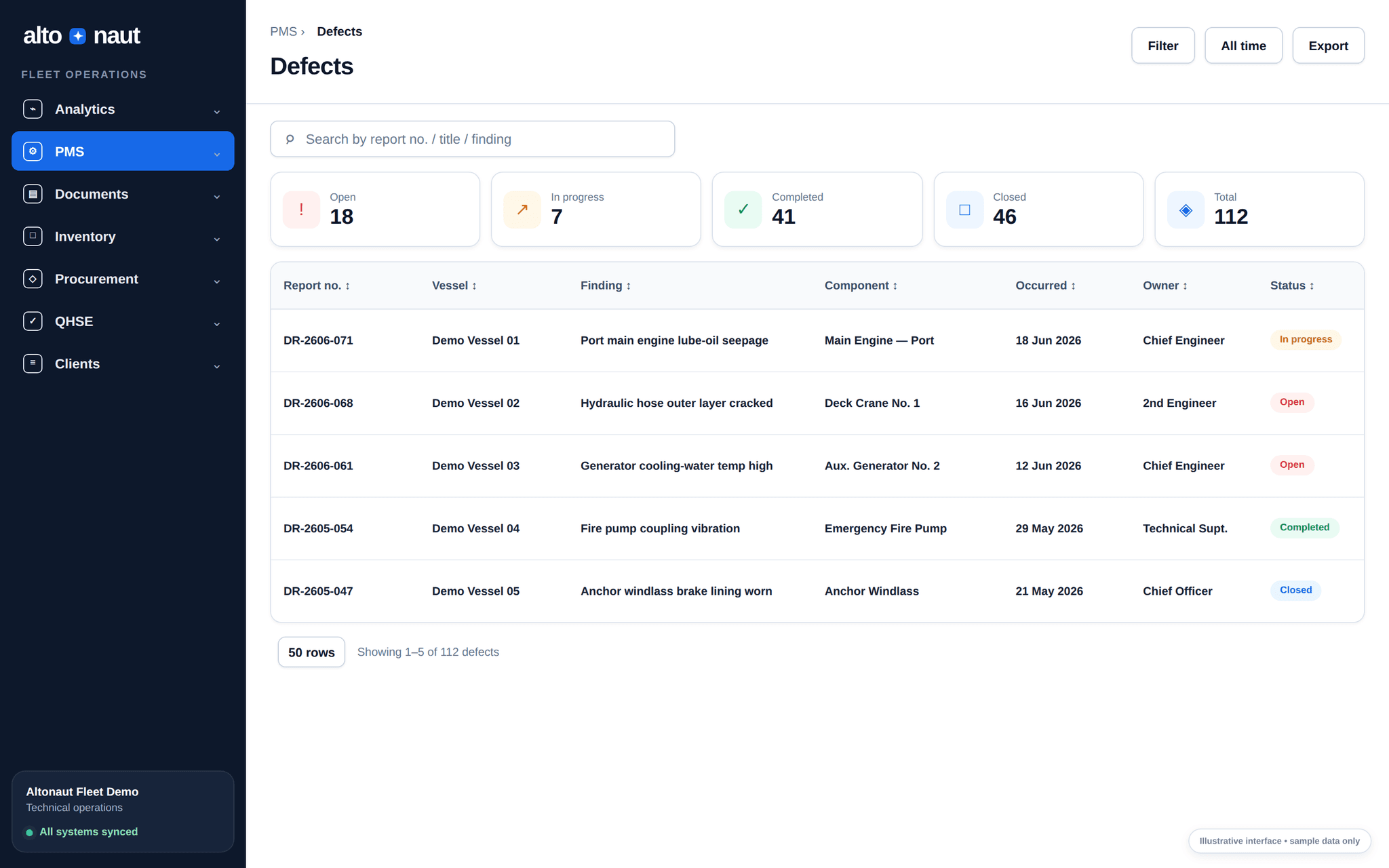
Crew report defects on board, linked to the equipment, with photos. The office decides the next step. Photos and notes stay with the defect until it is checked and closed.
Fleet data · updates when online
Equipment
Each defect linked
Closure
Proof kept
Why defect tracking matters
Defects cost more when the person in charge, the equipment, the repair and the proof of closing are spread across chats and files.
A critical defect can get lost among routine messages and wait too long.
The equipment, failure mode, photos and earlier repairs may sit in different places.
A spoken update does not show who did the work, what changed, or what was checked.
From report to closed
The ship and the office see the same, up-to-date record.
Record the ship, equipment, what was found, failure mode, priority, description and photos.
Check how serious it is, name the person in charge, ask for more detail, and decide the next step.
Status, comments, photos, parts and actions all stay on the defect.
Keep proof of the fix and the history. Reopen it if the problem comes back.
Inside Altonaut
Filter open, in-progress, completed and closed defects by ship and equipment.
What you can do
Keep the technical details and decisions you need to act.
Link each defect to the ship, the equipment and the failure mode.
Attach photos and files right on the defect.
Move each defect through its stages, with a named person in charge.
Keep a record of what was done, and reopen it if the problem comes back.
What to measure
Track priority, speed, repeat defects and checked closing.
Critical open defects
How many critical defects are still open on each ship, and for how long.
Days to close
Median days from report to checked close, split by priority.
Repeat defects
Defects reopened or repeated on the same equipment and failure mode.
In the trial, compare how fast defects close, the quality of photos and notes, and repeat defects.
Book a short call