Renewals turn into a rush
If you start late, the survey, documents and approvals must all be done in a hurry.
Certificates
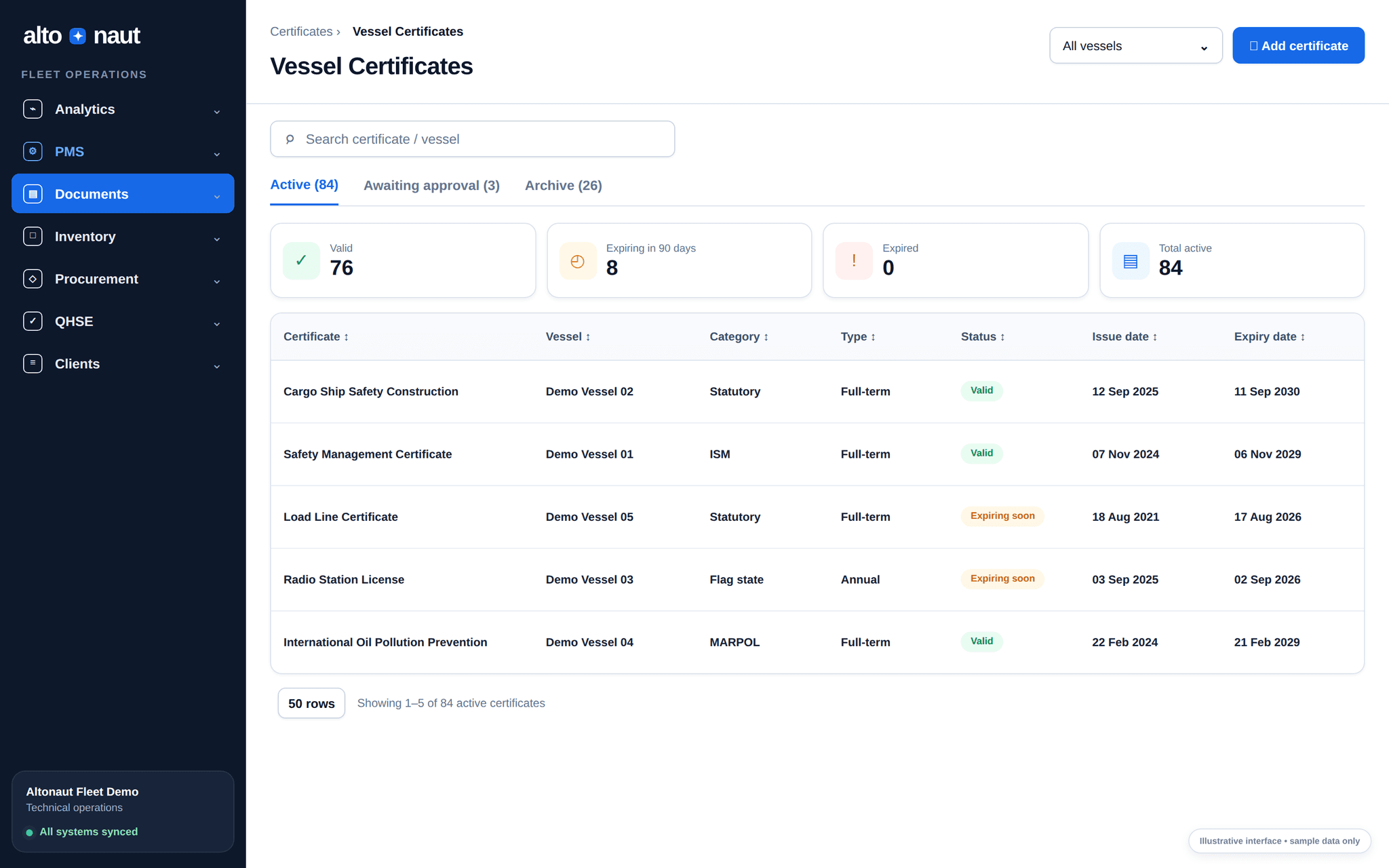
Keep each ship’s certificates, renewal dates, survey status, files and old versions in one place, so you see what is coming before the inspection.
Fleet data · updates when online
Files
Kept in one place
History
Old versions kept
Why tracking certificates matters
The goal is to act earlier and keep clear records. Software alone does not make a ship compliant.
If you start late, the survey, documents and approvals must all be done in a hurry.
The latest file, old versions and the copy on the ship can stop matching.
New crew or office staff may not know what changed, when, or why.
From setup to renewal
Ship and office teams handle certificates the same way, every time.
Set up templates with categories, expected dates and document fields.
Create the ship’s certificates, attach the files, and enter issue and expiry dates.
Use status and expiry dates to prepare renewals and surveys early.
Old versions stay saved, with a note of what changed. Files are not simply overwritten.
Inside Altonaut
Status cards, expiry dates, ship filters, the archive and file downloads, all in one place for the office.
What you can do
Keep certificate records in order for class, statutory and internal checks. The official decision still belongs to class and the authorities.
Use the same categories and fields for every ship, and list what each ship needs.
See which certificates are valid, expiring soon or expired, for each ship.
Remind the assigned team before the dates you set.
Follow survey status, photos and files, changes, and earlier versions.
What to measure
Check whether teams act earlier and find files faster.
How early renewals start
Days from first action to expiry or planned survey date.
Missing files
Required certificates with no current file, or no person in charge.
Inspection prep time
Hours spent gathering the latest files before an internal or external inspection.
Start with one ship’s certificates. Check the dates and who is in charge, then use the same setup for the whole fleet.
Book a short call